# SVAR Svelte Gantt Chart
[Website](https://svar.dev/svelte/gantt/) • [Getting Started](https://docs.svar.dev/svelte/gantt/getting_started/) • [Demos](https://docs.svar.dev/svelte/gantt/samples/#/base/willow)
[](https://www.npmjs.com/package/@svar-ui/svelte-gantt)
[](https://github.com/svar-widgets/gantt/blob/main/license.txt)
[](https://www.npmjs.com/package/@svar-ui/svelte-gantt)
[](https://github.com/svar-widgets/gantt)
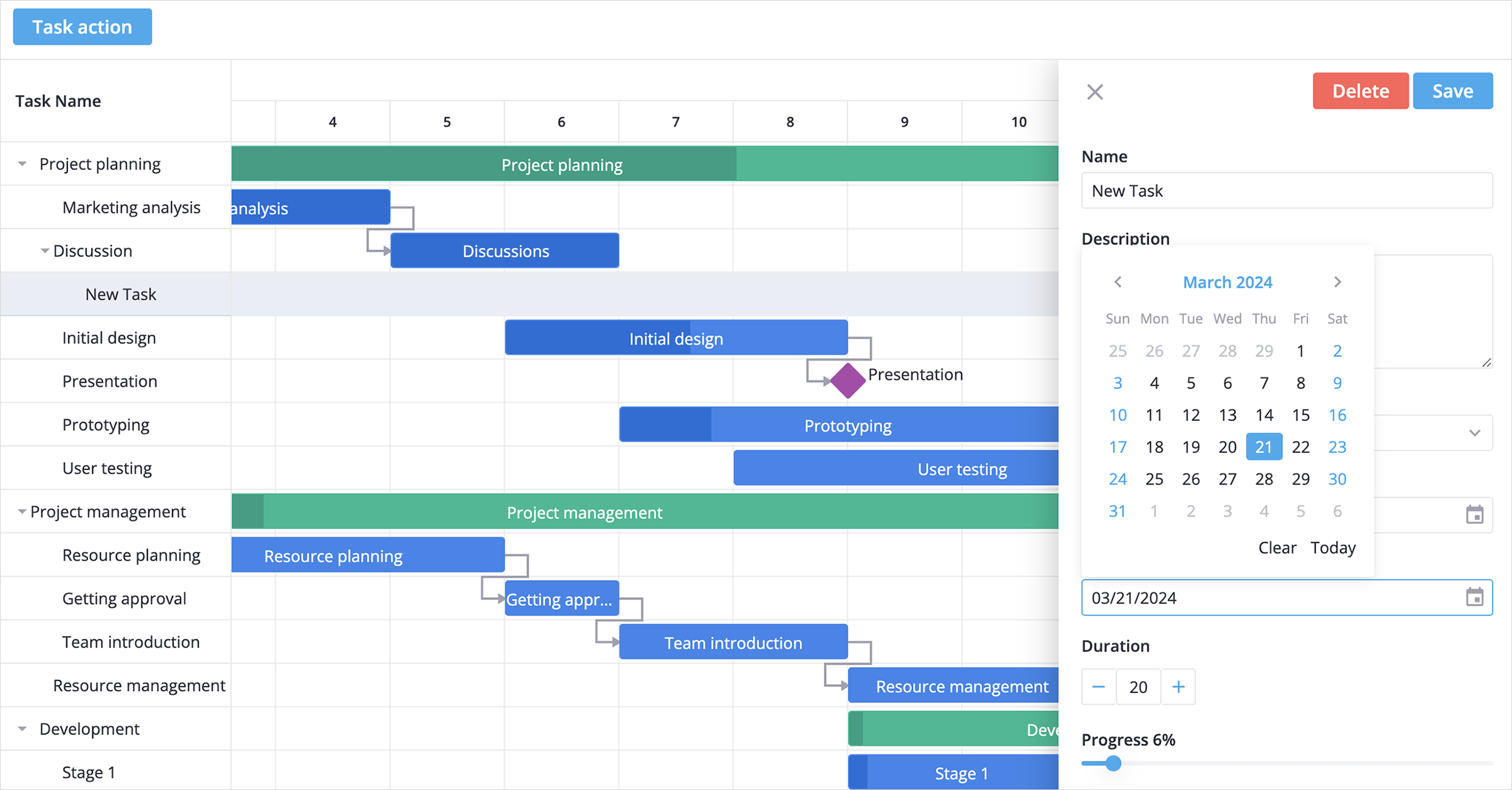
[SVAR Svelte Gantt](https://svar.dev/svelte/gantt/) is a customizable, easy-to-use, and interactive Gantt chart component written in Svelte. Its intuitive interface allows users to add and manage tasks and dependencies directly on the timeline using drag-and-drop or via a simple task edit form.
### :sparkles: Key Features
Core features designed for flexible and interactive project timeline management:
- Interactive drag-and-drop interface
- Intuitive and customizable task edit form
- Set task dependencies on the timeline or in a popup form
- Showing task progress on the taskbar
- Hierarchical view of sub tasks
- Reordering tasks in grid with drag-and-drop
- Configurable timeline (hours, days, weeks)
- Flexible time units: support for hours and minutes
- Custom time scales: define custom periods like sprints or stages
- Ability to use custom HTML in grid cells
- Toolbar and context menu
- Tooltips for taskbars
- Weekends/holidays highlights
- Sorting tasks in grid
- Zooming with scroll
- Hotkeys support for common actions
- Fast performance with large data sets
- Localization
- Light and dark skins
- Full TypeScript support
### 🚀 PRO Edition
SVAR Svelte Gantt is available in open-source and PRO Editions. The PRO Edition offers additional features and automation logic:
- Work days calendar
- Auto-scheduling (forward mode and Finish-to-Start dependencies)
- Critical path
- Baselines
- Split tasks
- Vertical markers
- Unscheduled tasks
- Undo/redo
Visit the [pricing page](https://svar.dev/svelte/gantt/pricing/) for full feature comparison and licensing details.
### :hammer_and_wrench: How to Use
To use the Gantt chart, simply import the package and include the component in your Svelte file:
```svelte
```
For further instructions, follow the detailed [how-to-start guide](https://docs.svar.dev/svelte/gantt/getting_started/).
### How to Modify
Typically, you don't need to modify the code. However, if you wish to do so, follow these steps:
1. Run `yarn` to install dependencies. Note that this project is a monorepo using `yarn` workspaces, so npm will not work
2. Start the project in development mode with `yarn start`
### Run Tests
To run the test:
1. Start the test examples with:
```sh
yarn start:tests
```
2. In a separate console, run the end-to-end tests with:
```sh
yarn test:cypress
```
### :speech_balloon: Need Help?
Join our [community forum](https://forum.svar.dev) to get help and submit feature requests.