# CometChat Javascript SDK
CometChat Pro enables you to add voice, video & text chat for your website & app.
This guide demonstrates how to add chat to a WebSite using CometChat Pro.
## Features
- 1-1 & Group Conversations
- Voice & video calling & conferencing
- Rich Media Attachments
- Typing Indicators
- Custom Messages
- Read receipts
- Online Presence Indicators
- Message History
- Single Sign-on
- Webhooks
- Bots
- Users & Friends List
- Groups List
- Conversations List
- Threaded Conversations
## Extensions
[Push Notification](https://prodocs.cometchat.com/docs/extensions-enhanced-push-notification) | [Email Notification](https://prodocs.cometchat.com/docs/extensions-email-notification) | [SMS Notification](https://prodocs.cometchat.com/docs/extensions-sms-notification) | [Thumbnail Generation](https://prodocs.cometchat.com/docs/extensions-thumbnail-generation) | [Link Preview](https://prodocs.cometchat.com/docs/extensions-link-preview) | [Rich Media Preview](https://prodocs.cometchat.com/docs/extensions-rich-media-preview) | [Voice Transcription](https://prodocs.cometchat.com/docs/extensions-voice-transcription) | [Smart Reply](https://prodocs.cometchat.com/docs/extensions-smart-reply) | [Message Translation](https://prodocs.cometchat.com/docs/extensions-message-translation) | [Emojis](https://prodocs.cometchat.com/docs/extensions-emojis) | [Polls](https://prodocs.cometchat.com/docs/extensions-polls) | [Reactions](https://prodocs.cometchat.com/docs/extensions-reactions) | [Stickers](https://prodocs.cometchat.com/docs/extensions-stickers) | [Video Broadcasting](https://prodocs.cometchat.com/docs/extensions-broadcast) | [Collaborative Documents](https://prodocs.cometchat.com/docs/extensions-collaborative-document) | [Collaborative Whiteboards](https://prodocs.cometchat.com/docs/extensions-collaborative-whiteboard) | [Data Masking Filter](https://prodocs.cometchat.com/docs/extensions-data-masking-filter) | [Profanity Filter](https://prodocs.cometchat.com/docs/extensions-profanity-filter) | [Image Moderation](https://prodocs.cometchat.com/docs/extensions-image-moderation)| [Sentiment Analysis](https://prodocs.cometchat.com/docs/extensions-sentiment-analysis) | [In-flight Message Moderation](https://prodocs.cometchat.com/docs/extensions-in-flight-message-moderation) | [Virus & Malware Scanner](https://prodocs.cometchat.com/docs/extensions-virus-malware-scanner) | [XSS Filter](https://prodocs.cometchat.com/docs/extensions-xss-filter)
[](#)
 







## Prerequisites :star:
Before you begin, ensure you have met the following requirements:
✅ You have [`Visual Studio Code`](https://code.visualstudio.com/) or any other code editor installed in your machine.
✅ You have [`npm`](https://www.npmjs.com/get-npm) installed in your machine.
✅ You have read [CometChat Key Concepts](https://prodocs.cometchat.com/docs/concepts).
## Installing CometChat Javascript SDK
## Setup :wrench:
To setup Javascript SDK, you need to first register on CometChat Dashboard. [Click here to sign up](https://app.cometchat.com/login).
### i. Get your Application Keys :key:
Signup for CometChat and then:
1. Create a new app: Click **Add App** option available → Enter App Name & other information → Create App
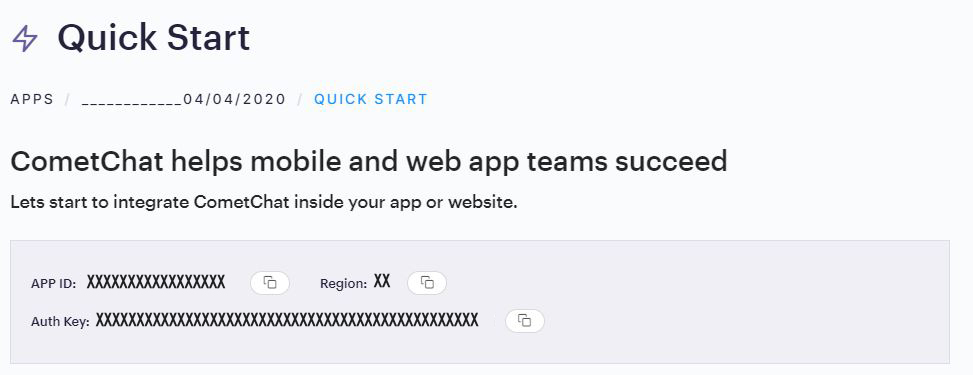
2. At the Top in **QuickStart** section you will find **Auth Key** & **App ID** or else you can head over to the **API & Auth Keys** section and note the **Auth Key** and **App ID**
### ii. Add the CometChat Dependency
-
Install via NPM
1. Run the following command to install the CometChat Pro Javascript SDK
```javascript
npm install @cometchat-pro/chat@3.0.11 --save
```
-
Import via CDN
1. Include the CometChat Pro Javascript library in your HTML code.
```html
```
You can refer to the below link for instructions on how to do so:
[📝 Add CometChat Dependency](https://prodocs.cometchat.com/docs/js-quick-start#add-the-cometchat-dependency)
## Configure CometChat Javascript SDK
### i. Initialize CometChat 🌟
We suggest you call the init() method on app startup, preferably in the index.js file.
```javascript
var appID = "APP_ID";
var region = "REGION";
var appSetting = new CometChat.AppSettingsBuilder().subscribePresenceForAllUsers().setRegion(region).build();
CometChat.init(appID, appSetting).then(
() => {
console.log("Initialization completed successfully");
},
error => {
console.log("Initialization failed with error:", error);
}
);
```
| :information_source: Note: Make sure to replace `region` and `appID` with your credentials. |
|------------------------------------------------------------------------------------------------------------|
### ii. Create User 👤
Once initialisation is successful, you will need to create a user. You need to use createUser() method to create user on the fly.
```javascript
let authKey = "AUTH_KEY";
var uid = "user1";
var name = "Kevin";
var user = new CometChat.User(uid);
user.setName(name);
CometChat.createUser(user, authKey).then(
user => {
console.log("user created", user);
},error => {
console.log("error", error);
}
);
```
>:information_source: Note: Make sure that UID and name are specified as these are mandatory fields to create a user.
### iii. Login User 👤
Once you have created the user successfully, you will need to log the user into CometChat using the login() method.
```javascript
var UID = "SUPERHERO1";
var authKey = "AUTH_KEY";
CometChat.getLoggedinUser().then(
user => {
if(!user){
CometChat.login(UID, authKey).then(
user => {
console.log("Login Successful:", { user });
},
error => {
console.log("Login failed with exception:", { error });
}
);
}else{
// User already logged in
}
}, error => {
console.log("getLoggedinUser failed with exception:", { error });
}
);
```
| :information_source: Note - The login() method needs to be called only once. Also replace AUTH_KEY with your App Auth Key. |
|------------------------------------------------------------------------------------------------------------|
📝 Please refer to our [Developer Documentation](https://prodocs.cometchat.com/docs/js-quick-start) for more information on how to configure the CometChat Pro SDK and implement various features using the same.
## Learn more about UI-Kit
[Angular UI Kit](https://github.com/cometchat-pro/javascript-angular-chat-ui-kit) | [React UI Kit](https://github.com/cometchat-pro/javascript-react-chat-ui-kit) | [Vue UI Kit](https://github.com/cometchat-pro/javascript-vue-chat-ui-kit)
## Contributors :clap:
Thanks to the following people who have contributed to this project:
[👨💻 @ajaygajra](https://github.com/ajaygajra)
[👨💻 @mayur-bhandari](https://github.com/mayur-bhandari)
## Contact :mailbox:
Contact us via real time support present in [CometChat Dashboard.](https://app.cometchat.io/)
