Chapter 3. Why Atlas
Unlike other authoring platforms, Atlas is proven to work in a professional editorial and production environment. We’ve used Atlas to write and produce hundreds of O’Reilly books, and we’ve refined the system so that you can create professional-quality versions of your content in print, digital book, and web formats. Look no further: You’ve found the service for creating the next-generation of books.
With Atlas, you can:
- Write in a WYSIWYG editor or in a markup language like Markdown or AsciiDoc
- Build EPUB, Mobi, print or online PDF, and a website from a single source
- Design “themes” using CSS and easily apply them to all formats
- Include rich content types, such as video or interactive visualizations, with intelligent fallbacks for print
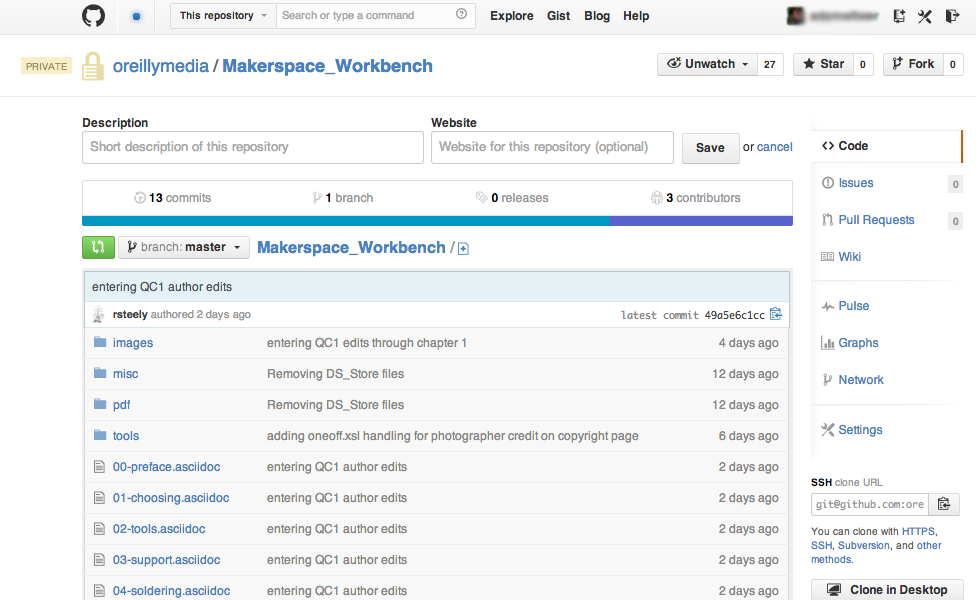
- Store content in GitHub, enabling massive collaboration
The following sections describe each feature in more detail.
Editing Environments
Atlas supports two editing modes: WYSIWYG and text markup.
In WYSIWYG mode, you write in an online environment that is similar to a traditional word processor. This visual editor gives you a toolbar with all your standard formatting tools, and lets you write in a clean environment while still providing the underlying document structure that is necessary to build your project.
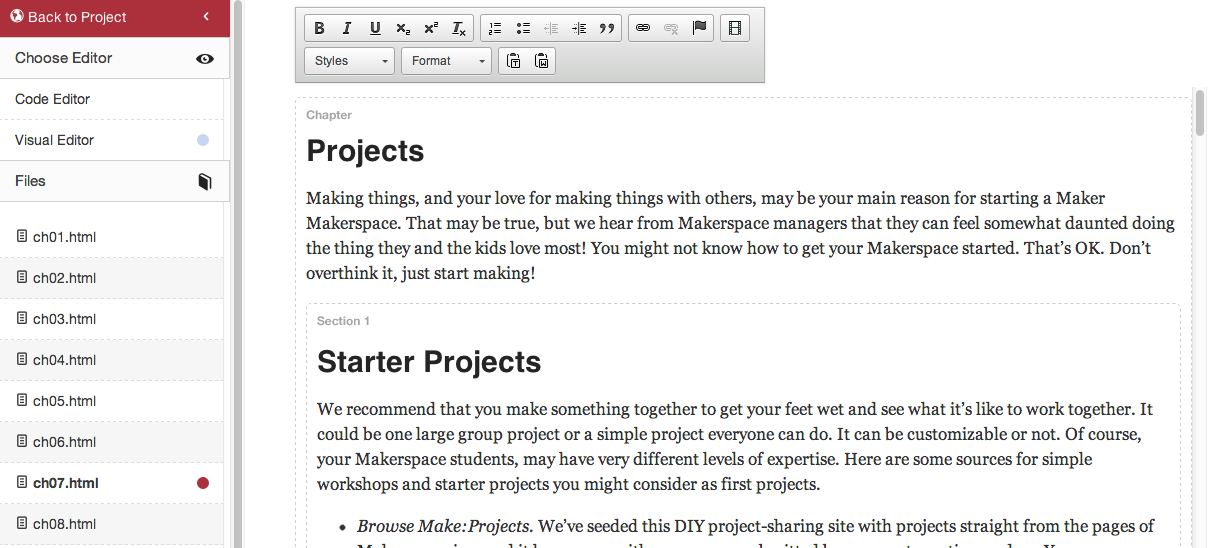
Behind the scenes, you’re actually getting well-formed HTML5—specifically, HTMLBook, our new open standard for writing books (or book-like projects) in HTML.
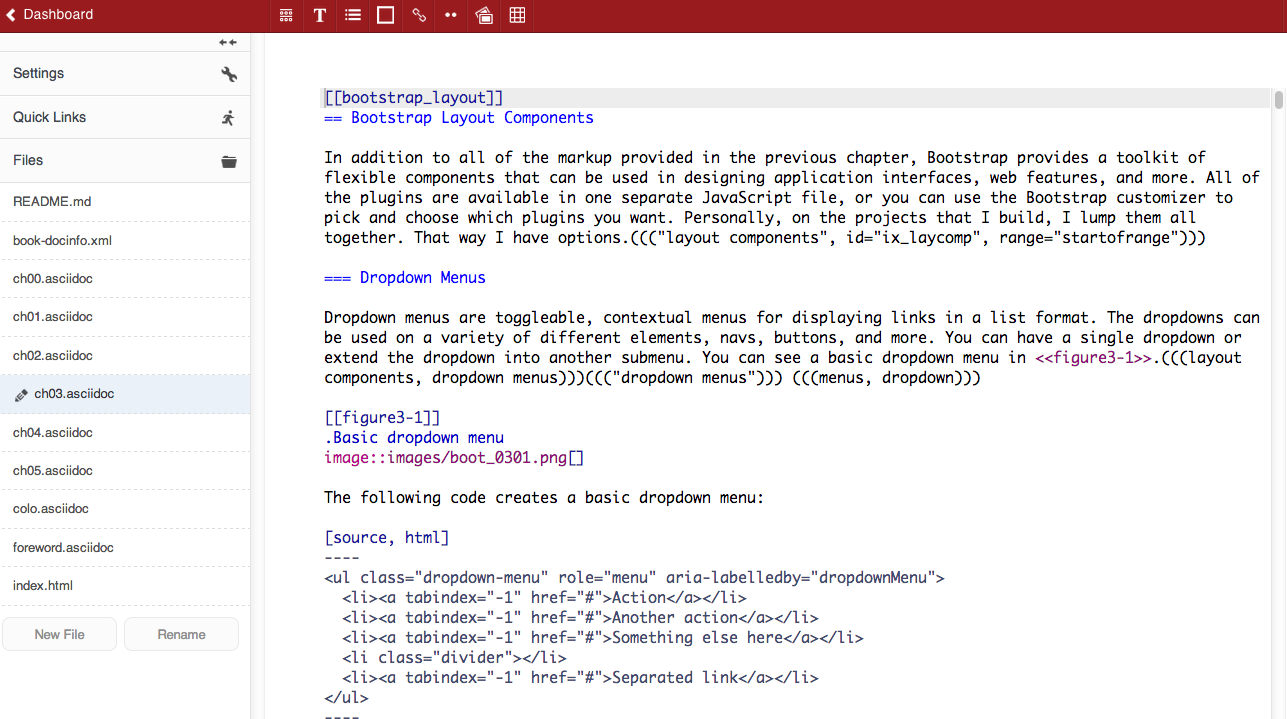
If you prefer writing in one of the lightweight markup languages popular today, then we’ve got you covered with the Code Editor. In this text markup mode, you can use either Markdown or AsciiDoc, a language similar to Markdown but more robust for presenting complex information. Both of these languages can still be built to all four output formats.
Build All Formats from a Single Source
Like the web, Atlas separates content from presentation. Once you’ve written your material, you can “build” it into any of the major publishing and distribution formats: PDF, EPUB, Mobi, or HTML (for publication on the web). Simply drag and drop the files in the order you would like them to appear, and Atlas handles the rest. Atlas uses O’Reilly Media’s industry-leading publishing toolchain, so the output formats are suitable for distribution in all major print and digital channels.
Content Themes
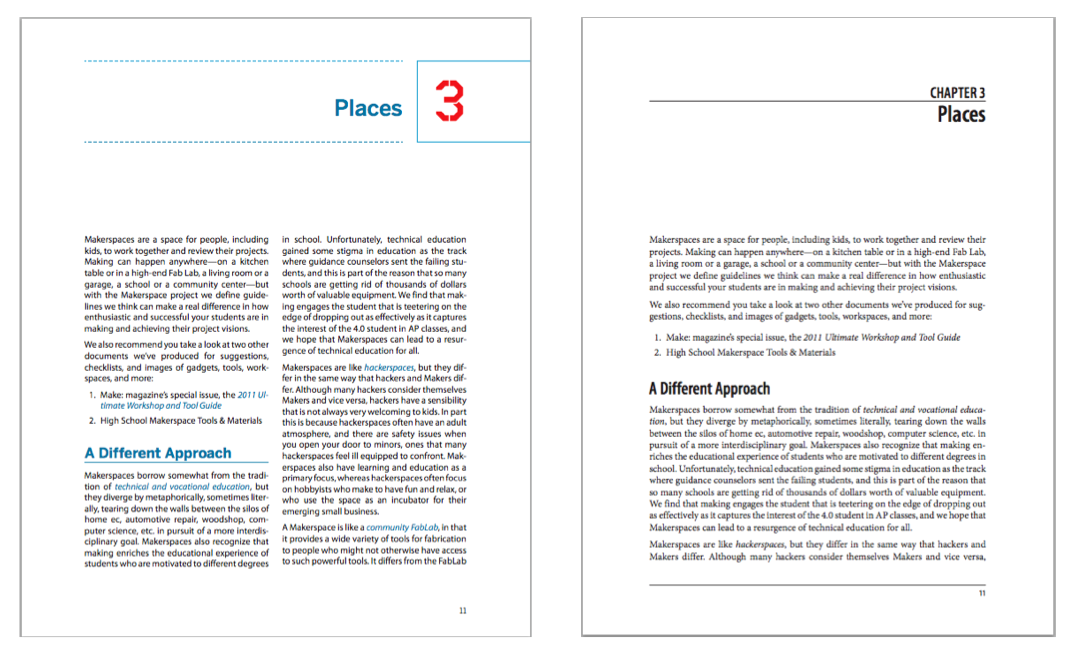
Atlas “themes” allow you to style the various output formats using CSS. Consequently, the same content in Atlas can be easily restyled into almost any design. For example, the following image shows the same content, but with two different themes. Read more about themes in "Styling and Theming“.
Interactive Content
Content in Atlas can be easily exported to a fully interactive website, allowing authors to create compelling online sites like these:
- Web Audio API has interactive tools that allow the reader to manipulate the examples described in the book.
- Interactive Data Visualization for the Web contains live data visualizations that readers can manipulate using a “Try It Now” section.
- HTML5 Canvas allows the reader to play a game that is described in the book itself.
A critical feature of these interactive elements is that the author can include “fallbacks” for formats where the interactive element is not supported. For example, you can include a still image that will be automatically used in place of a video in the PDF version of the content.
Content Stored on GitHub
Atlas stores all content natively in GitHub using the GitHub APIs. This means that all content in Atlas can take full advantage of the unrivaled collaborative power of GitHub, as well as the rich, underlying power of Git for versioning, change tracking, and auditing.